Building the Ultimate 2026 Gaming PC: A Console Gamer’s Crash Course
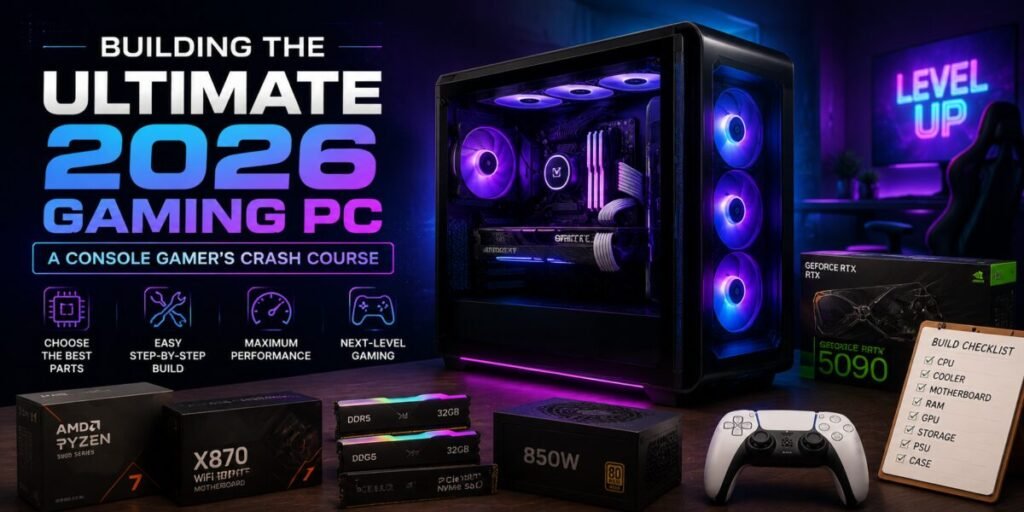
There’s a particular moment every console gamer eventually reaches: scrolling past a PC screenshot with a frame rate and resolution that makes the game you love look like an entirely different experience, and wondering, for the first time, whether it’s worth crossing over. Building your first gaming PC can feel intimidating from the outside — a wall of acronyms, compatibility questions, and price tags that seem to have no ceiling. It doesn’t have to be. This is the guide we wish someone had handed us before our first build, written specifically for players coming from a console background who want a straight answer, not a spec sheet.
Step One: Decide What “Ultimate” Actually Means to You
Before spending a single dollar, get honest about what you’re actually chasing. “Ultimate” means something different depending on whether your priority is hitting the highest possible frame rates in competitive multiplayer games, maximising visual fidelity in cinematic single-player adventures, or simply matching and comfortably exceeding what your console currently offers without overspending on power you’ll never use.
This decision shapes every component choice that follows, and skipping it is the single most common reason first-time builders overspend on the wrong parts — a powerful graphics card paired with a bottlenecking processor, or a beautiful case with inadequate cooling for the hardware inside it. Spend twenty minutes being honest with yourself here, and the rest of this process gets dramatically easier.
Setting a Realistic Budget
A genuinely strong 2026 gaming PC can be built across a wide range of budgets, and more money doesn’t always mean a proportionally better experience — there are real diminishing returns once you cross into truly high-end territory. As a general framework:
- Entry-level builds comfortably match or beat current-generation console performance and are the right call for players making the jump primarily for the flexibility and library access that PC gaming offers.
- Mid-range builds represent the sweet spot for most players, delivering high frame rates at high resolutions across the vast majority of modern games without chasing every last percentage point of performance.
- High-end builds exist for players specifically chasing maximum settings at the highest resolutions, or working with demanding creative software alongside gaming, and the cost climbs steeply for increasingly marginal gains.
Whatever budget you land on, resist the temptation to spend it all on the graphics card. A balanced build with a slightly less powerful GPU will outperform an unbalanced one in almost every real-world scenario, because a bottleneck anywhere in the chain drags down everything downstream of it.
Picking a Graphics Card in 2026
The graphics card is the component that will define your gaming experience more than any other single part, and it’s also where the market has genuinely improved for shoppers in 2026 — competition between manufacturers has produced strong options at nearly every price point, rather than one dominant tier surrounded by compromises. The right approach is to match your GPU choice to the resolution and refresh rate of the display you actually own or plan to buy, rather than chasing the most powerful card available regardless of whether your monitor can take advantage of it.
Ray tracing and AI-powered upscaling technology have become standard expectations rather than premium extras, and nearly every current-generation card supports some version of them. The differences between tiers now come down largely to how gracefully that technology performs under pressure, which is worth researching for the specific card you’re considering rather than assuming all implementations are equal.
CPU, RAM, and Storage: The Unglamorous Essentials
It’s tempting to treat everything besides the graphics card as an afterthought, but a genuinely balanced build depends on getting these right. A modern mid-range processor from either of the two major manufacturers will comfortably keep pace with today’s graphics cards in the vast majority of games — you don’t need the most expensive chip on the shelf unless you’re also doing heavy multitasking, streaming, or content creation alongside gaming.
For memory, enough is genuinely enough — going well beyond what current games actually use rarely translates into a noticeable difference, and that budget is almost always better spent elsewhere. For storage, prioritise a fast solid-state drive as your primary drive without exception; the difference in load times and overall system responsiveness compared to a traditional hard drive is one of the most immediately noticeable upgrades you can make, console comparisons included.
Case and Cooling: Don’t Skip This Part
First-time builders consistently underestimate cooling and airflow, treating the case as a purely cosmetic choice. It isn’t. A case with genuinely poor airflow will force every component inside it to work harder than it should, leading to louder fan noise and, over time, reduced performance as components throttle themselves to avoid overheating. You don’t need an elaborate liquid-cooling setup for a strong build — good case airflow paired with a solid air cooler on the processor is more than sufficient for the vast majority of builds, and considerably more beginner-friendly to install correctly.
Putting It All Together
The actual assembly process is far less intimidating than it looks from the outside, and modern components are designed with foolproof connectors that make it genuinely difficult to plug something in the wrong way. A calm afternoon, a well-lit workspace, and a willingness to follow your motherboard’s manual step by step will get almost anyone through their first build successfully. The most common mistakes are rushing cable management and forgetting to install the small standoffs that keep the motherboard from touching the case — both easily avoided by working slowly and double-checking each step before moving to the next.
Software Setup for Console Gamers
Once the hardware is running, the software transition is where a lot of console gamers feel most out of their depth, and it’s actually the easiest part. Major PC storefronts have spent years making their software feel closer to a console dashboard than a traditional desktop application, with controller support, big-screen interface modes, and cloud save syncing that make jumping between games feel familiar rather than foreign. Plugging in the same wireless controller you already own from your console is usually all it takes to make a PC feel instantly comfortable for anyone coming from a controller-first background.
Common Mistakes First-Time Builders Make
A few pitfalls come up again and again with new builders, and knowing about them in advance can save real frustration. Buying a power supply that’s technically sufficient on paper but leaves no headroom for future upgrades is a common regret — spending slightly more here for extra capacity is almost always worth it. Overlooking case compatibility with a particularly large graphics card is another frequent surprise; always check a case’s maximum supported GPU length against the specific card you’re buying rather than assuming it will fit. And underestimating how much cable management affects both airflow and how satisfying the finished build feels to look at is a mistake nearly every first-time builder makes at least once.
Peripherals: Don’t Forget the Rest of the Setup
A powerful PC is only as good as the screen and controls you’re using to experience it. If competitive performance is a priority, a monitor with a high refresh rate matters as much as anything inside the case — a powerful graphics card pushing high frame rates is wasted on a display that can’t show them. For players prioritising visual fidelity over competitive speed, a higher-resolution panel with strong colour accuracy will show off your new hardware more effectively than a higher refresh rate alone. And don’t overlook input: many console converts are surprised by how comfortable modern wireless controllers feel paired with a PC, making the transition from a controller-first background far less jarring than expected, while others find the switch to mouse and keyboard opens up entire genres, particularly strategy and competitive shooters, that feel meaningfully better suited to precise input.
Maintenance: Keeping Your Build Running Well
Unlike a console, a PC benefits from a small amount of ongoing upkeep. Periodically clearing dust from fans and filters keeps temperatures in check over the long run, and keeping graphics drivers reasonably current ensures new game releases perform as intended from launch day. None of this requires deep technical expertise — most of it amounts to a few minutes of attention every couple of months — but it’s worth setting expectations that a PC, unlike a sealed console, rewards a small amount of ongoing care with meaningfully better long-term performance and reliability.
The Helyvo Verdict
Building your first gaming PC in 2026 is more approachable than it has ever been. The hardware is more forgiving, the software is friendlier to console converts, and the performance gap over current consoles is real enough to justify the effort for anyone genuinely curious. Start with a clear goal, build a balanced system around it, and don’t let the acronyms scare you off — this is a weekend project, not an engineering degree.
Difficulty: Moderate — Approachable for first-timers with patience. Budget wisely, prioritise balance over bragging rights, and the payoff is genuinely worth it.