Canva Magic Studio Review: Is This the End of Traditional Graphic Design Skills?
Canva built its entire business on making design accessible to people who never learned Photoshop. Magic Studio is the next logical step in that mission: a suite of AI tools bundled directly into the editor that generates images, resizes campaigns across a dozen formats, writes on-brand copy, and edits photos with a few clicks instead of a few hours of manual layer work.
We used Magic Studio across a realistic small-business workload — a social media campaign, a one-page flyer, a product photo cleanup, and a brand-consistent slide deck — to see whether it lives up to the pitch, or whether it’s really just a good marketing wrapper around familiar tools.
Quick Verdict: 4.3 / 5 — Magic Studio doesn’t replace a trained designer’s judgment, but it dramatically lowers the floor for what a non-designer can produce alone, and it meaningfully speeds up repetitive resizing and variation work even for professionals.
What’s Actually Inside Magic Studio
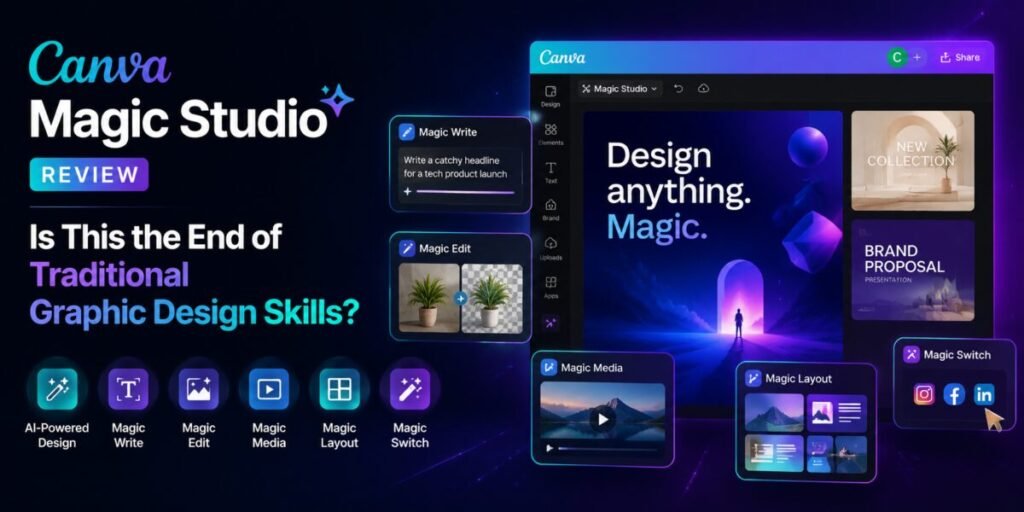
Magic Studio isn’t one feature — it’s an umbrella term for a cluster of AI tools now embedded across the Canva editor:
- Magic Design: generates full layout options from a prompt or an uploaded photo.
- Magic Media: text-to-image and text-to-video generation directly inside a design.
- Magic Write: on-brand copy generation for headlines, captions, and body text.
- Magic Switch: resizes and reformats one design into multiple formats — social posts, presentations, documents — while preserving the core layout logic.
- Magic Edit / Background Remover: object removal, background replacement, and photo touch-ups without manual masking.
Hands-On: The Small-Business Workload Test
Social Media Campaign
Feeding Magic Design a single product photo and a short prompt produced six usable layout variations in under a minute, three of which needed only minor text and color tweaks to be publish-ready. This is genuinely the strongest single feature in the suite for non-designers — it replaces the blank-canvas paralysis with a curated set of starting points.
One-Page Flyer
Magic Write generated a serviceable first-draft headline and body copy, though as with most AI copy tools, the output leaned generic until we fed it more specific details about the actual event and audience. Once given that context, the second-pass copy was noticeably sharper.
Product Photo Cleanup
Background removal and Magic Edit’s object-removal tool performed impressively on a cluttered product photo, cleanly isolating the product and removing a distracting background object with a simple text prompt rather than manual selection. This alone would have taken meaningfully longer in a traditional photo editor for a non-expert user.
Brand-Consistent Slide Deck
Magic Switch converted our flyer design into a presentation format while preserving the color palette and rough visual hierarchy, though the slide pacing and content density still needed human judgment to feel like a genuinely good deck rather than a resized flyer.
Feature Comparison Table
| Task | Time Without Magic Studio | Time With Magic Studio |
|---|---|---|
| Generating campaign layout options | Significant, from a blank canvas | Under a minute for first drafts |
| Reformatting one design into five sizes | Considerable manual resizing | Near-instant with Magic Switch |
| Removing a background from a photo | Manual masking required | One click |
| Writing first-draft marketing copy | From scratch | First draft generated, still needs editing |
Testing Video and Animated Content
Beyond static graphics, we also tested Magic Media’s short video generation for a simple social media teaser clip. The results were serviceable for a quick, low-stakes promotional teaser — reasonable motion, on-theme visuals — but noticeably behind dedicated video generation tools in terms of coherence over longer clips and fine control over specific actions within a scene. For a business whose primary content need is still images, carousels, and short social graphics, this is a minor footnote. For a team leaning heavily into video-first social content, it’s worth testing directly against a dedicated video tool before assuming Canva alone will cover that need.
Does This Replace a Real Designer?
No, and it’s worth being direct about that rather than chasing a provocative headline. What Magic Studio replaces is the blank page, the tedious manual resizing across formats, and some baseline photo-editing tasks that never required real design judgment to begin with. What it doesn’t replace is the strategic thinking behind a strong brand identity, nuanced typography decisions, or the kind of original visual concept that a skilled designer brings to a genuinely new project.
The more accurate framing: Magic Studio raises the floor for non-designers dramatically, while offering professional designers a real, if more modest, speed boost on repetitive production work rather than creative direction.
Honest Limitations
- Generated layouts can feel templated if you don’t customize past the first suggestion, especially across a competitive niche where many businesses are using the same tool.
- Magic Write’s default tone is generic until you invest time in Canva’s brand kit and voice settings.
- Complex, highly custom illustration work is still better served by a dedicated design tool or a human illustrator.
Getting Past the “Templated” Look
The single most common complaint about AI design tools is that output starts to look interchangeable across brands using the same platform, and that risk is real with Magic Studio if you accept the first suggestion uncritically. A few habits noticeably reduced that generic feel during our testing:
- Set up a proper brand kit first — custom color palettes, fonts, and logo placement rules feed directly into Magic Design’s suggestions, pulling results away from generic defaults.
- Generate several options and combine elements rather than accepting one layout wholesale; mixing a typography choice from one variation with an image treatment from another produced more distinctive results than any single generated option.
- Use Magic Media as a starting point, not a final asset, for custom illustrations — generating a rough concept image, then adjusting colors and composition manually, avoided the flatter, more generic look of unedited AI-generated art.
- Feed Magic Write real specifics — actual dates, names, and details about your audience — rather than a vague one-line prompt, which was consistently the difference between usable and forgettable first-draft copy.
Team Workflow and Brand Consistency at Scale
For small teams managing multiple channels, Magic Studio’s brand kit and template-locking features let a non-designer safely produce on-brand social posts without a designer reviewing every single asset before it goes out — a meaningful workflow improvement for lean marketing teams juggling content volume they can’t otherwise sustain. Larger organizations with dedicated design teams tend to use it differently: as a fast first-draft and variation tool that a professional designer then refines, rather than a fully autonomous production pipeline.
Comparing the Broader AI Design Landscape
Canva’s core advantage over dedicated single-purpose AI image tools isn’t raw generation quality — Midjourney and Firefly still edge it out on pure image fidelity — it’s the fact that generation, editing, resizing, copywriting, and final export all live inside one continuous editor. For a solo founder or small business who needs finished, publishable assets quickly rather than the single best-looking image possible, that end-to-end convenience often matters more than marginal gains in visual polish.
Pricing Snapshot
Magic Studio features are split between Canva’s free tier, with limited monthly AI credits, and the paid Pro plan, which unlocks higher usage limits and additional tools. Since Canva periodically adjusts credit allotments and feature gating, check the current plan details on Canva’s pricing page before assuming a specific feature is included at your tier.
Frequently Asked Questions
Is Magic Studio good enough for professional client work?
For quick social content and internal materials, yes. For polished client-facing brand campaigns, most professional designers still treat it as a first draft rather than a final deliverable.
Does it work well for print materials?
Reasonably well for straightforward flyers and posters, though it’s still worth manually checking bleed, resolution, and color profiles before sending anything to a professional printer.
Can a complete beginner use this without any design background?
Yes — that’s genuinely its core strength. The guided templates and one-click AI tools are specifically designed to be usable without any prior design training.
Who Should Actually Subscribe
Solo founders and small-business owners producing their own marketing materials without a design budget are the clearest fit — the time saved on layout, resizing, and photo cleanup alone will likely justify the subscription cost within the first few projects. Social media managers juggling multiple client accounts benefit similarly, particularly from Magic Switch’s ability to repurpose one core asset across many required formats. Professional designers and design agencies are a more mixed case: valuable for internal production speed and client-facing quick concepts, but unlikely to replace a dedicated design tool for original brand identity work or highly custom illustration, where the flattening effect of templated AI generation is more noticeable and less acceptable to a discerning client.
Final Verdict
Magic Studio won’t end graphic design as a profession, but it does meaningfully shrink the gap between “person with no design training” and “usable, decent-looking output.” For solo founders, small businesses, and social media managers wearing too many hats, that gap-shrinking is worth real money. For working designers, it’s less a replacement than a genuinely useful shortcut around the most repetitive parts of the job.
Rating: 4.3 / 5 — An excellent floor-raiser for non-designers and a solid time-saver for professionals, though not a replacement for real design judgment on high-stakes brand work.