

Public Wi-Fi in 2026: The Silent Threats Lurking Behind “Free Internet”
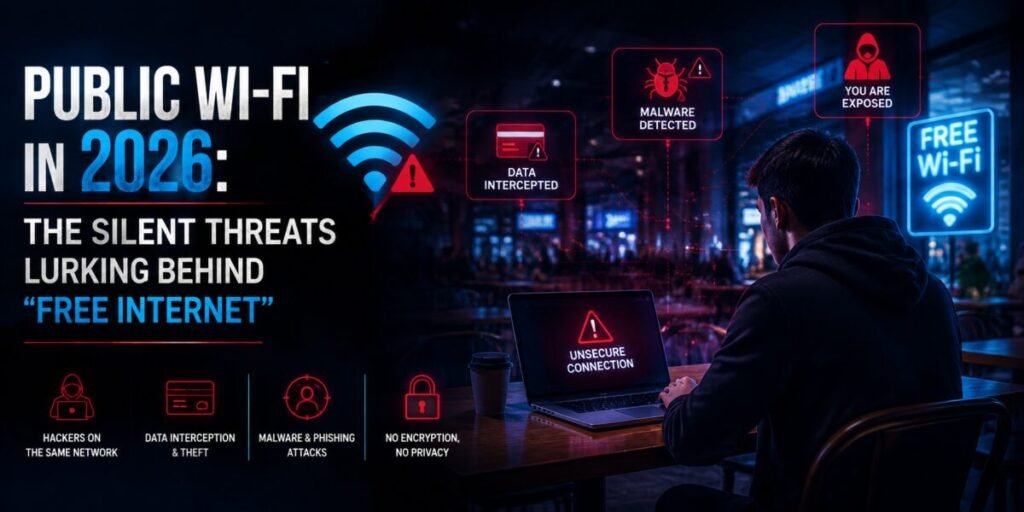
Free Wi-Fi feels like a small, harmless convenience — you sit down at a coffee shop, an airport gate, or a hotel lobby, tap “Connect,” and get back to your email or your bank balance without a second thought. That casual trust is exactly what makes public Wi-Fi one of the most consistently exploited attack surfaces in everyday life. The threats haven’t disappeared with time; if anything, the tools to exploit them have gotten cheaper and easier to use. Here’s what’s actually happening on that network, and what genuinely stops it.
Why Public Wi-Fi Is Still a Hacker’s Playground
Public networks are, by design, open to a large number of unknown, unauthenticated devices sharing the same local network segment. That single fact is the root of almost every attack described below. On a well-secured home or office network, you generally trust the other devices around you. On public Wi-Fi, you have no idea who else is connected, what hardware they’re running, or what their intentions are — and neither does the venue offering the “free” connection.
Unlike home routers, which are configured once by one household, public access points are often set up with default or minimal security settings, rarely updated, and administered by staff with no cybersecurity background. That combination — many unknown users, weak administration, and minimal oversight — is precisely the environment attackers look for.
Evil Twin Attacks: The Hotspot That Isn’t What It Seems
An “evil twin” is a rogue Wi-Fi access point set up to mimic a legitimate one — often using an identical or near-identical network name (SSID), like “Airport_Free_WiFi” instead of the real “Airport_WiFi.” Because most devices simply display a list of nearby network names with no way to verify authenticity at a glance, users routinely connect to the fake network without realizing anything is wrong.
Once connected to an evil twin, every byte of unencrypted traffic passes directly through the attacker’s device before continuing to the real internet. The attacker can:
- Monitor unencrypted web traffic in real time.
- Redirect victims to convincing fake login pages for banking or email services.
- Inject malicious scripts into unencrypted web pages the victim visits.
- Harvest credentials, session cookies, and personal data at scale.
Evil twin setups have become dramatically cheaper to run — a small portable device concealed in a bag is enough to spin up a convincing fake hotspot in any crowded public space, with no specialized technical background required to operate off-the-shelf tools built for exactly this purpose.
Man-in-the-Middle Attacks Explained
A man-in-the-middle (MITM) attack is the broader category evil twins belong to: any scenario where an attacker secretly positions themselves between you and the service you’re communicating with, able to observe or alter the traffic passing through. On public Wi-Fi, this doesn’t require a fake hotspot at all — a legitimate, correctly named network can still be compromised if an attacker gains a foothold on the same local network segment and uses techniques like ARP spoofing to reroute traffic through their own device.
What makes MITM attacks especially dangerous:
- They’re largely invisible to the victim — the connection still “works,” pages still load, nothing looks obviously wrong.
- They can target specific individuals rather than the whole network, making them harder for venue IT staff to detect.
- They can persist for the entire duration of a session, capturing everything from casual browsing to sensitive form submissions.
Packet Sniffing and Session Hijacking
“Packet sniffing” refers to capturing and analyzing the raw data packets traveling across a network. On an open, unencrypted public Wi-Fi network, unencrypted traffic (any connection not using HTTPS) can be captured and read in plain text by anyone else on the same network, using free, widely available network analysis tools.
Even when a website itself uses HTTPS, a related risk called session hijacking remains possible: if an attacker captures a session cookie — the small piece of data that keeps you logged into a service — they can potentially impersonate your active login session without ever needing your actual password. This is particularly concerning on networks where users stay connected for extended periods, like hotel Wi-Fi during a multi-day stay.
Rogue Captive Portals and Credential Harvesting
Most public Wi-Fi networks show a “captive portal” — the login or terms-of-service page that appears before you’re granted internet access. Attackers exploit the fact that users are already conditioned to enter information into these pages without much scrutiny. A rogue captive portal can request an email address, phone number, or even ask users to “log in with Facebook” or “verify your identity,” harvesting real credentials under the guise of standard network access procedures.
Because these portals often appear automatically the moment a device joins a network, and because they visually resemble countless legitimate ones travelers have seen before, they exploit habit and pattern recognition rather than any technical vulnerability — arguably making them harder to defend against than purely technical attacks.
How a VPN Neutralizes These Threats
A properly functioning VPN addresses the core vulnerability shared by nearly every attack above: it encrypts your traffic before it ever reaches the local public network, wrapping it in a secure tunnel that remains unreadable to anyone else sharing that Wi-Fi connection — including the operator of an evil twin hotspot or an attacker running a packet sniffer.
- Against evil twins and MITM attacks: even if your traffic passes through an attacker’s device, the VPN tunnel means they see only encrypted noise, not usable data.
- Against packet sniffing: encrypted VPN traffic can’t be read in plain text, regardless of whether the underlying website itself uses HTTPS.
- Against session hijacking: the encrypted tunnel significantly raises the difficulty of intercepting session cookies in the first place.
It’s worth being precise here: a VPN doesn’t prevent you from connecting to a fake captive portal, and it can’t stop you from voluntarily entering credentials into a phishing page. That layer of protection depends on user awareness, not encryption. What a VPN reliably does is remove the attacker’s ability to passively read or tamper with your traffic once you’re connected — which is the mechanism behind the majority of public Wi-Fi attacks.
Beyond VPN: A Public Wi-Fi Safety Checklist
A VPN is the foundation, but a few additional habits close the remaining gaps:
- Verify the network name with staff directly rather than trusting whatever looks closest to the venue’s name in the Wi-Fi list.
- Turn off auto-connect for open Wi-Fi networks in your device settings, so your phone doesn’t silently join a familiar-sounding network without your knowledge.
- Enable your VPN before joining any public network, not after — ideally with an app configured to connect automatically the moment an unsecured Wi-Fi network is detected.
- Watch for HTTPS even with a VPN active, as an extra layer of assurance for any site handling sensitive information.
- Avoid entering banking credentials or making financial transactions on public Wi-Fi when a cellular data connection is available as an alternative.
- Keep your device’s operating system and Wi-Fi drivers updated, since many exploits target known, already-patched vulnerabilities in outdated software.
- Forget the network after use so your device doesn’t automatically reconnect to it — or to an evil twin using the same name — on a future visit.
Who Attackers Actually Target on Public Networks
It’s a common misconception that public Wi-Fi attacks are random, opportunistic, and rare enough not to worry about personally. In practice, certain environments and behaviors meaningfully raise individual risk:
- Business travelers handling confidential documents, client communications, or financial systems represent higher-value targets, and airport and hotel networks are recognized as environments where this traffic concentration attracts more sophisticated attackers than the average coffee shop.
- Conference and event attendees connecting to event-branded Wi-Fi are especially vulnerable to evil twin attacks, since attackers can predict the expected network name in advance and prepare a convincing spoof before the event even begins.
- Remote workers accessing company systems from public spaces create a bridge between a compromised personal session and a corporate network, which is precisely why many organizations now mandate VPN use as a baseline security policy for any work conducted outside the office.
- Frequent travelers who reconnect to previously used network names are at elevated risk of evil twin exploitation, since devices often auto-join networks matching a previously trusted SSID without re-verifying that it’s the same physical access point.
None of this means occasional public Wi-Fi users are safe by comparison — it simply means risk scales with how much sensitive activity happens on the connection and how predictable your movements are to a would-be attacker. Either way, the underlying defense remains the same.
The Bottom Line
Public Wi-Fi hasn’t become safer with time — the venues offering it are more numerous than ever, and the tools required to exploit them have only gotten cheaper and more accessible. Evil twin hotspots, man-in-the-middle attacks, packet sniffing, and rogue captive portals all rely on the same basic condition: an open network full of strangers, and traffic that isn’t protected end-to-end. A reliable VPN, switched on before you connect, removes the single biggest point of leverage attackers depend on — turning a genuinely risky connection into one you can use with real confidence, whether you’re clearing a quick email at a café or working through sensitive documents at an airport gate.