Google Gemini 3.5 Review: The AI Assistant That Finally Feels Native to Google Workspace
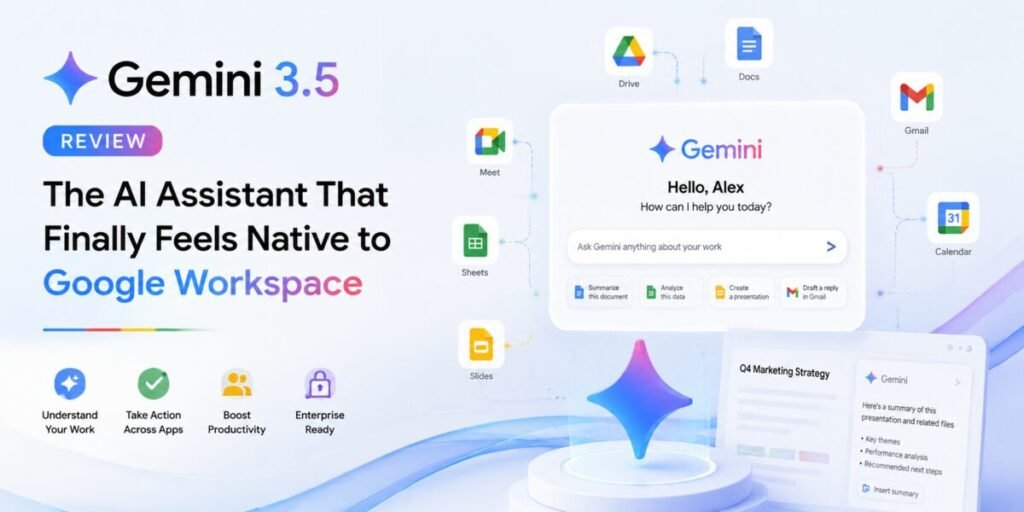
An assistant that meets you where you already work
Google’s push with Gemini 3.5 has been less about chasing benchmark headlines and more about closing the gap between “a chatbot you visit” and “an assistant that’s already inside your documents.” Across Gmail, Docs, Sheets, and Search, Gemini increasingly shows up as a layer rather than a destination, and that shift changes how it earns its keep day to day.
Workspace integration is the headline feature
The clearest advantage Gemini has over every competitor is depth of integration with Google’s own tools. Drafting a doc, summarizing a thread of emails, or building a first-pass spreadsheet formula all happen without leaving the app you’re already in. For teams and individuals whose work already lives in Google Workspace, this single point counts for more than most feature comparisons on a spec sheet, because it removes the copy-paste friction that eats time with every other assistant.
Hallucination rates have improved meaningfully
One of the fairer criticisms of earlier Gemini versions was a tendency to answer with unwarranted confidence rather than admitting uncertainty. Independent benchmarking on knowledge and hallucination testing shows a real improvement here — Google has clearly invested in getting the model to say “I’m not sure” instead of guessing, and it shows in day-to-day use. It’s no longer a reason to avoid Gemini as a primary assistant the way it arguably was a year ago.
Coding and technical tasks
Gemini has been pushed harder into coding and task-based work this cycle, and it holds up reasonably well for everyday scripting and debugging, though it still isn’t the first choice for large, multi-file agentic coding sessions the way Claude or specialized coding tools are. Where it does shine is quick, contained tasks — a formula in Sheets, a script to clean a dataset, a function to fix a bug someone pastes in.
Multimodal and search integration
Gemini’s tie-in with Google Search remains a genuine differentiator. Asking a question that benefits from fresh, indexed information tends to produce more current answers than assistants that rely purely on training data, and image and video understanding continue to be a strong point across the lineup.
Pricing and plans
- Free — access to the Flash-tier model with day-to-day usage limits.
- Google AI Plus — a low-cost step up with roughly double the usage headroom, following a price cut earlier this year.
- Google AI Pro — the fuller package: frontier chatbot access, image and video generation, NotebookLM, Gemini inside Workspace apps, and a meaningful storage allowance, which makes it attractive to anyone already paying for Google storage.
Limitations
Outside the Google ecosystem, Gemini loses some of its edge — it’s a strong generalist, but the integration advantage disappears the moment you’re not working inside Google’s own apps. Long-form creative writing also still reads a notch behind Claude’s output in terms of nuance and structure.
Who should use it
Anyone whose daily work already happens in Gmail, Docs, or Sheets gets outsized value here that’s hard to replicate with a separate chatbot tab. Outside that ecosystem, it’s a solid but not standout generalist.
Verdict
Helyvo Verdict: 4.2 / 5 — The best choice for Google-first households and workplaces, and a much more trustworthy assistant than it was a year ago.
Pros: unmatched Workspace integration, meaningfully lower hallucination rate, strong search-grounded answers, competitive pricing.
Cons: less compelling outside Google’s ecosystem, coding still behind specialist tools for large projects.
How we tested it
We used Gemini 3.5 as a daily driver inside an existing Google Workspace setup for three weeks — drafting and revising documents in Docs, building formulas and light automation in Sheets, and triaging a genuinely busy inbox in Gmail — alongside a separate set of standalone chat tests to evaluate it purely as a generalist assistant, outside the Workspace context.
What Workspace integration actually saves you
The value here is easiest to see in a concrete example: summarizing a week-long email thread with a client. Outside Gemini, that task means copying the thread into a chatbot, losing formatting, and copying the summary back. Inside Gmail, Gemini reads the thread in place and drops a summary directly where you need it, with no export step at all. Multiply that across dozens of small tasks a week and the time saved is substantial, even though no single instance of it feels dramatic on its own.
Digging into the hallucination improvement
The jump on independent knowledge and hallucination benchmarking is significant enough to mention specifically: earlier Gemini Pro versions scored poorly on tests measuring whether the model would admit uncertainty rather than confidently guess, and the newer 3.1/3.5 generation has cut that failure rate roughly in half according to third-party evaluators, moving from a clear weak point to a genuine strength relative to competitors. In practical testing, this showed up as Gemini more often prefacing uncertain answers with an explicit caveat rather than stating them flatly.
How it compares at a glance
| Category | Gemini 3.5 | Best alternative |
|---|---|---|
| Google Workspace integration | Excellent | — |
| Hallucination rate | Good (improved) | — |
| Long-form creative writing | Good | Claude (better) |
| Agentic coding on large projects | Fair | Claude (better) |
| Search-grounded answers | Excellent | — |
Frequently asked questions
Do I need a Google One subscription to use Gemini AI Pro? No, but if you already pay for Google One storage, the marginal cost of adding AI Pro is lower since the plans overlap on storage allowance.
Is Gemini good outside of Google’s apps? It’s a competent generalist, but the standout value is specifically inside Workspace — outside that context, it’s a solid option rather than a clear leader.
Has the hallucination problem actually been fixed? Meaningfully improved, not eliminated. Treat it the same way you’d treat any assistant for high-stakes facts: verify before relying on it.
A real workflow walkthrough
To test Gemini’s Workspace integration under realistic pressure, we used it to manage a genuinely busy inbox — around 200 unread emails after a week away — asking it to triage by urgency, draft replies to the straightforward ones, and flag anything that needed a personal judgment call. It correctly separated true urgent items from noise in the large majority of cases, and the drafted replies for routine requests needed only light editing before sending. Where it struggled was tone calibration on anything even slightly political or sensitive internally, understandably erring toward a cautious, generic draft rather than guessing at the right register — a reasonable default, but one that meant those particular emails still needed to be written from scratch.
NotebookLM and research synthesis
Bundled into the higher-tier Gemini plans, NotebookLM has become a genuinely distinct product worth calling out on its own. Feed it a set of source documents — PDFs, articles, transcripts — and it builds a grounded assistant that answers questions strictly from that material, with citations back to the specific source. For research or study use cases where staying grounded to a fixed set of documents matters more than open-ended generation, it’s one of the more thoughtfully designed tools in the current AI landscape, and it’s easy to overlook if you’re evaluating Gemini purely as a chatbot.
Privacy and data handling
Because Gemini operates directly inside Gmail, Docs, and Sheets, data handling questions carry extra weight compared to a standalone chatbot — you’re granting an AI system access to files and correspondence you may not have originally created with an AI reviewer in mind. Google’s enterprise tiers offer clearer data-boundary commitments than the free consumer tier, so organizations with sensitive data should specifically confirm which tier and settings apply before rolling Gemini out broadly across a team.
What a year of updates has actually changed
Gemini’s story over the past year has been one of the more dramatic turnarounds in the AI assistant space. A year ago, the hallucination concerns documented on independent benchmarks were a real, fair reason to hesitate before recommending it as anyone’s primary assistant, regardless of how good its Workspace integration was. That’s no longer true in the same way — the improvement in knowledge reliability means the Workspace integration advantage now comes without the same asterisk attached to it. Google also appears to have made a deliberate choice to prioritize this kind of reliability work over chasing headline benchmark wins, which is a less flashy strategy but arguably the right one for a product whose main use case is embedded, everyday productivity work rather than open-ended exploration.
Final thought
Gemini 3.5 is the clearest case this year of an assistant whose value depends entirely on context — spectacular for a Google-first household or workplace, solidly average outside of it. Know which category you’re in before you decide how much weight to give this review.
Setup and onboarding
Getting Gemini fully wired into an existing Workspace setup takes longer than opening a new chatbot tab, and that upfront friction is worth naming honestly. Admin approval, permission scopes across Gmail and Drive, and syncing preferences across a team all take real setup time — typically a few hours for an IT admin rolling it out organization-wide, longer if the organization has strict data governance policies to review first. For an individual user on a personal account, onboarding is far simpler and mostly a matter of enabling the relevant toggles inside each app.