Slack vs Microsoft Teams vs Google Chat: Choosing Business Communication Software
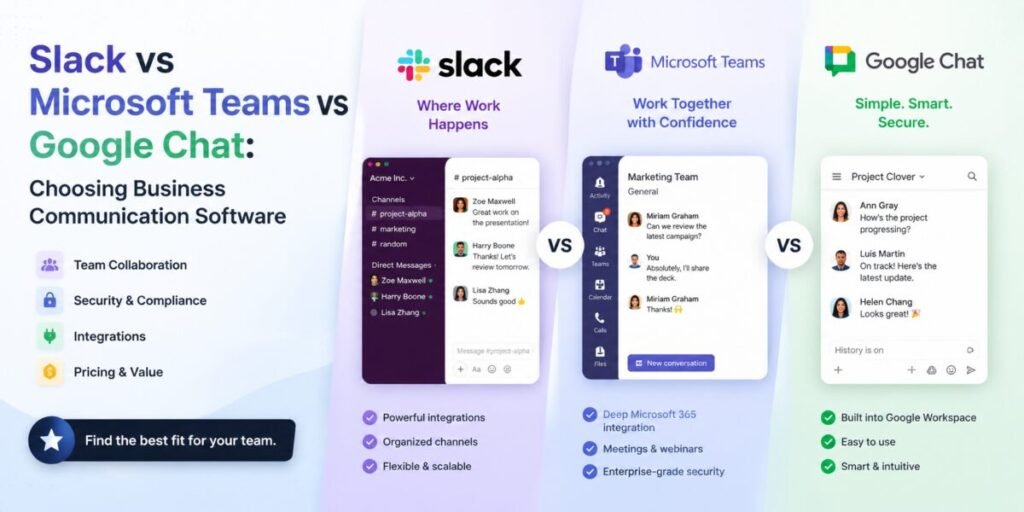
⚡ Quick Take: The “best” business messaging platform usually isn’t chosen on its own merits — it’s chosen based on which ecosystem your company already lives in. Here’s how Slack, Microsoft Teams, and Google Chat actually stack up for day-to-day business communication.
Why Business Communication Software Deserves Real Evaluation
It is tempting to treat team chat as a commodity — pick whichever one is bundled with your existing software and move on. But the platform your team communicates on shapes daily behavior more than almost any other software decision: how quickly decisions get made, how much gets lost in scattered threads, and how easy it is for new hires to find institutional knowledge months after a conversation happened.
Slack, Microsoft Teams, and Google Chat each approach the same core problem — real-time team communication — from a different starting philosophy, and those differences matter more in daily use than the marketing materials suggest.
Slack: The Original Modern Team Chat
Slack popularized the channel-based communication model that most competitors have since copied in some form. Its strength lies in a mature integration ecosystem: thousands of third-party apps connect directly into channels, turning Slack into a genuine command center for many teams rather than just a chat window. Search is fast and reliable, threading keeps conversations organized, and its Huddles feature offers lightweight audio calls without leaving the app, which many teams find faster for a quick two-minute question than scheduling a formal video meeting.
Slack’s main friction point for some businesses is cost at scale, along with the fact that it exists somewhat separately from productivity suites like Google Workspace or Microsoft 365, requiring more deliberate integration work to connect calendars, docs, and files.
Microsoft Teams: Deep Integration for Microsoft 365 Businesses
For companies already standardized on Microsoft 365, Teams offers a communication layer that plugs directly into Outlook calendars, SharePoint files, and Office documents without friction. Video meetings, chat, and collaborative document editing all live in the same interface, which reduces app-switching for businesses already inside that ecosystem.
Teams’ channel structure is generally considered less intuitive than Slack’s for pure chat-based conversation, and search within Teams has historically been a weaker point compared to Slack’s dedicated focus on message discoverability. For businesses already paying for Microsoft 365 licenses, however, Teams often arrives at effectively no additional cost, which is difficult to ignore.
Google Chat: Lightweight and Native to Google Workspace
Google Chat takes the leanest approach of the three, integrating tightly with Gmail, Google Calendar, and Google Drive for businesses already inside Google Workspace. Its interface is intentionally simple, which some teams appreciate as a lack of unnecessary complexity, and others find limiting compared to the richer app ecosystems of its competitors.
Google Chat’s Spaces feature functions similarly to Slack channels or Teams channels, supporting threaded conversations and file sharing tied directly to Drive documents. For businesses with straightforward communication needs already living inside Google’s suite, it removes the need for a separate subscription entirely.
Side-by-Side Comparison
| Criteria | Slack | Microsoft Teams | Google Chat |
|---|---|---|---|
| Best for | Integration-heavy, fast-moving teams | Microsoft 365 businesses | Google Workspace businesses |
| Third-party app ecosystem | Extensive | Strong, Microsoft-centric | Limited |
| Search quality | Excellent | Improving, still catching up | Good within Workspace |
| Video/meetings | Huddles (lightweight) | Full-featured, deeply integrated | Google Meet integration |
| Cost for existing 365/Workspace users | Separate subscription | Often bundled | Often bundled |
Pros and Cons Summary
| Platform | Pros | Cons |
|---|---|---|
| Slack | Best search, huge integration library, mature UX | Additional cost outside existing suites |
| Microsoft Teams | Deep 365 integration, often bundled at no extra cost | Channel navigation feels cluttered to some users |
| Google Chat | Lightweight, tightly tied to Workspace | Smaller app ecosystem, fewer advanced features |
Making the Right Choice for Your Business
The single most predictive question is: what productivity suite does your company already run on? Businesses fully standardized on Microsoft 365 rarely find enough incremental value in switching to Slack to justify the added cost and integration work, unless their workflows depend heavily on Slack-specific third-party apps. The same logic applies in reverse for Google Workspace businesses considering Teams.
Where the calculus shifts is for businesses without a dominant existing suite, or those whose workflows revolve heavily around specialized third-party tools — development platforms, customer support systems, project trackers — that integrate more deeply with Slack than with the alternatives. In that scenario, Slack’s broader integration marketplace often outweighs the cost of running it as a standalone subscription, especially once you account for the engineering hours that would otherwise be spent rebuilding those same integrations from scratch on a competing platform.
Rollout and Adoption Tips
- Define channel or space naming conventions before opening the platform to the full company.
- Set clear norms early about what belongs in direct messages versus shared channels — this single decision prevents the most common early-adoption complaints.
- Archive or mute channels aggressively; channel sprawl is the fastest way to kill engagement with any of these tools.
- Pick two or three integrations to roll out in week one rather than connecting everything at once.
Frequently Asked Questions
Can these platforms coexist during a transition period? Yes, though running two chat tools simultaneously for long periods tends to fragment conversations and should be treated as a short, deliberate migration window rather than a permanent state.
Which platform is best for a fully remote team? All three support remote work well; the deciding factor remains which productivity suite the team already relies on for documents and calendars.
Do smaller teams need the paid tiers? Free tiers on all three platforms cover basic messaging; paid tiers become valuable once message history limits, guest access, or advanced admin controls matter.
How do we decide who owns platform administration internally? A single, clearly designated admin — usually someone in operations or IT — should own channel governance, integration approvals, and access reviews rather than leaving these decisions to whoever happens to notice a problem first.
Security and Admin Controls
Business messaging platforms increasingly function as informal document repositories, with sensitive files, credentials, and strategic discussions shared casually in the flow of conversation. This makes admin-level controls genuinely important rather than a nice-to-have: look for single sign-on support, the ability to enforce message retention and legal-hold policies, and granular controls over who can create public channels versus who can invite external guests.
Compliance-sensitive industries in particular should evaluate each platform’s support for eDiscovery and data export, since regulators in finance, healthcare, and legal services often require the ability to produce message history on demand. All three platforms — Slack, Teams, and Google Chat — offer these controls at higher subscription tiers, but the depth and ease of configuration varies meaningfully, and it is worth testing the actual admin console rather than relying on the marketing page alone.
A Real-World Scenario: A 40-Person Startup Deciding Between Slack and Teams
Imagine a forty-person startup that runs entirely on Google Workspace for email, calendar, and documents, but whose engineering team has built dozens of custom integrations into Slack over the past two years — deployment notifications, on-call alerting, and customer support escalations all flow into specific Slack channels automatically. Despite not using Microsoft 365, this company would likely lose significant engineering workflow value by switching to Teams, since rebuilding those integrations would cost far more in engineering time than the savings from consolidating vendors.
Now imagine a different forty-person company, primarily non-technical, running on Microsoft 365 for email and document collaboration, with no significant existing chat-based integrations. For this company, adopting Teams — already included in their existing licensing — makes overwhelming financial and operational sense, since a standalone Slack subscription would add cost without a clear corresponding benefit.
Common Mistakes Businesses Make When Adopting Chat Software
- Creating too many channels too quickly, leading to duplicate conversations and confusion about where to post.
- Treating chat as a replacement for documentation, causing important decisions to get buried in scrollback history.
- Failing to set notification norms, leading to alert fatigue and delayed responses to genuinely urgent messages.
- Running a chat platform migration without an end date, leaving teams split across two tools indefinitely.
Cost of Ownership Beyond the Subscription Tier
Comparing sticker prices across Slack, Teams, and Google Chat misses much of the real cost picture. Consider how many of your existing licenses already include one of these tools at no additional charge, since that bundled value can outweigh a nominally cheaper standalone competitor. Consider also the cost of app sprawl: if your team already pays for a separate video conferencing tool, a separate file storage service, and a separate project tracker, the platform that consolidates the most of that functionality natively may deliver more total savings than the one with the lowest advertised per-seat price.
Finally, factor in the very real cost of switching chat platforms once institutional habits form. Employees build muscle memory around where information lives, and a poorly planned migration can quietly erode months of accumulated searchable conversation history and shared context.
Final Verdict
★★★★★ Slack — Best standalone experience and integration ecosystem.
★★★★☆ Microsoft Teams — Best for existing Microsoft 365 businesses.
★★★☆☆ Google Chat — Best lightweight option for Google Workspace businesses.